
Picture.us
Create a shared event, invite guests by QR code, capture photos together, and organize every memory into live albums.
In developmentQuiet productivity software · 2026
Useful systems emerge from complexity.
01 / OriginQuiet productivity for private reflection, home cooking, medication routines, game nights, and collaborative travel.
No feeds. No nudges. No algorithms deciding what comes next.
Meet the appsA focused suite for real routines. Each app opens when needed, performs its job, and gets out of the way.
 01
01
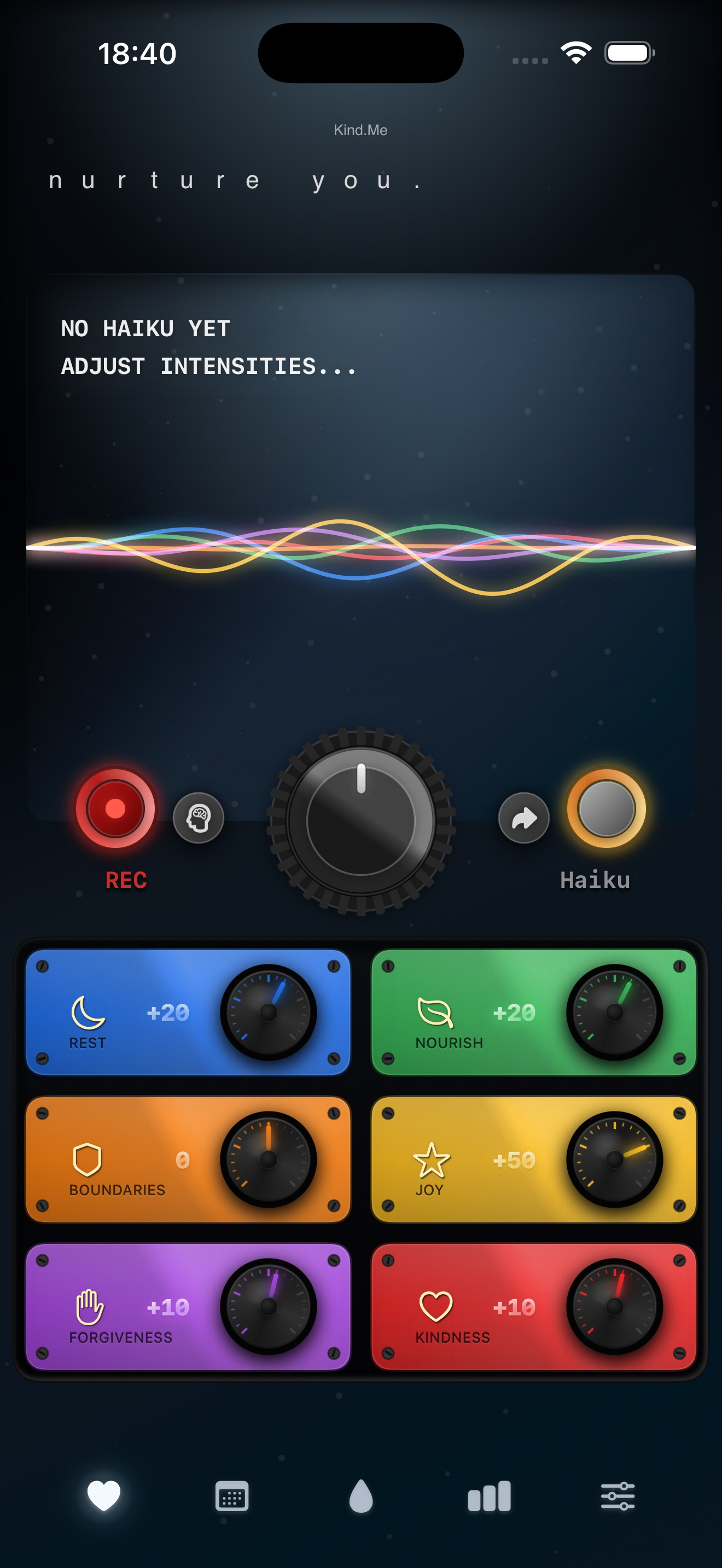
A calendar for being kinder to yourself.
Self-kindness tracker · Live
 02
02
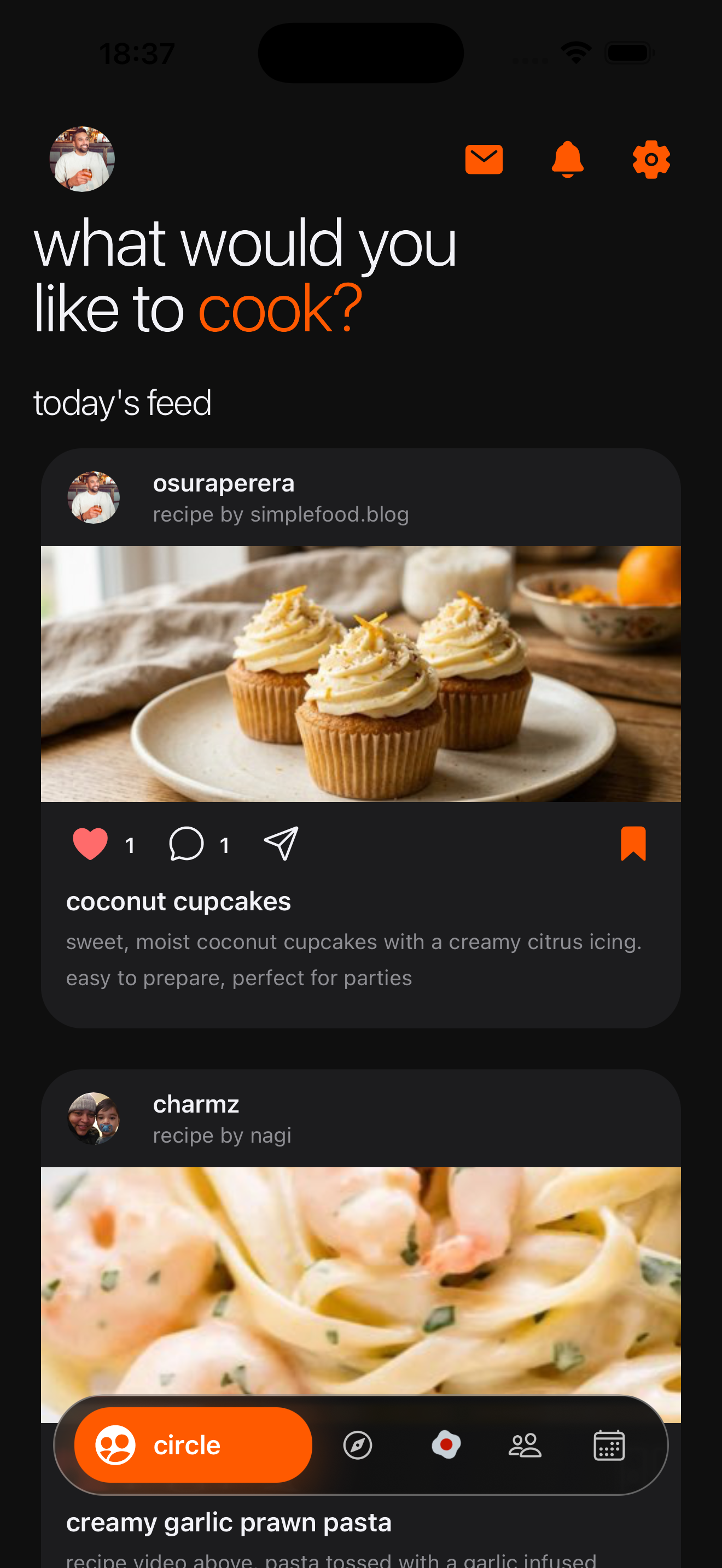
Recipes you own. Friends who cook.
Recipe home base · Live
 03
03
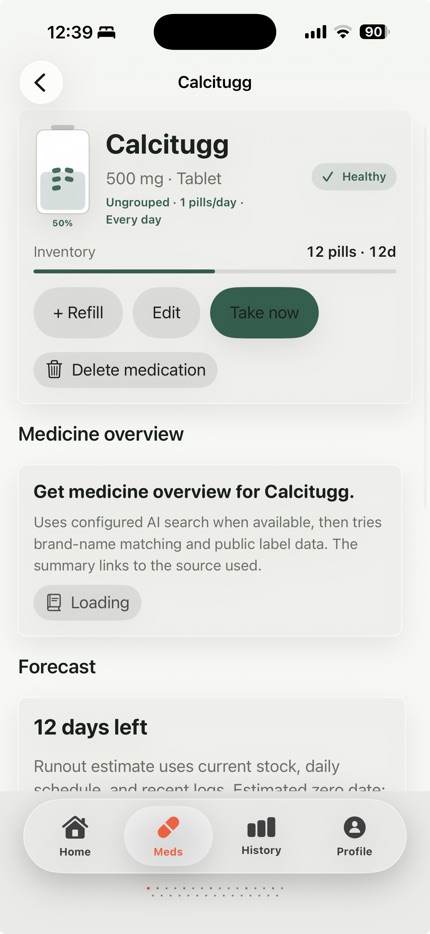
Medication routines without pressure.
Medication routine tracker · Live
 04
04
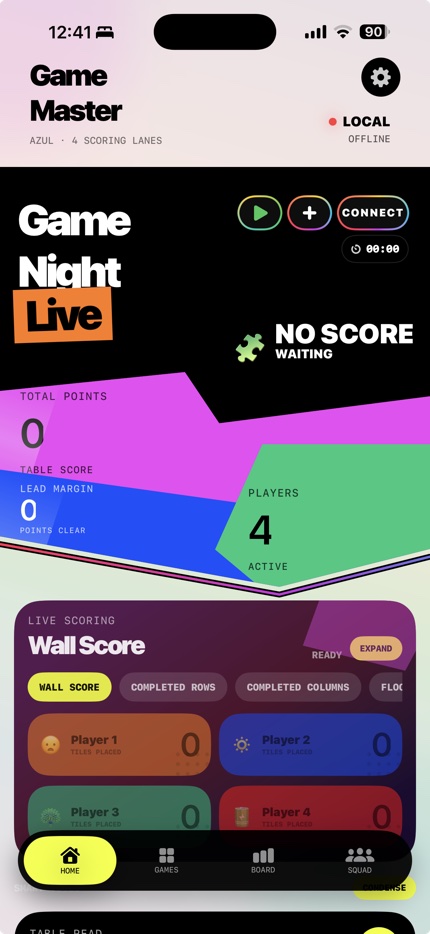
Stop arguing with the score sheet.
Board game scoring · Coming in August
 05
05
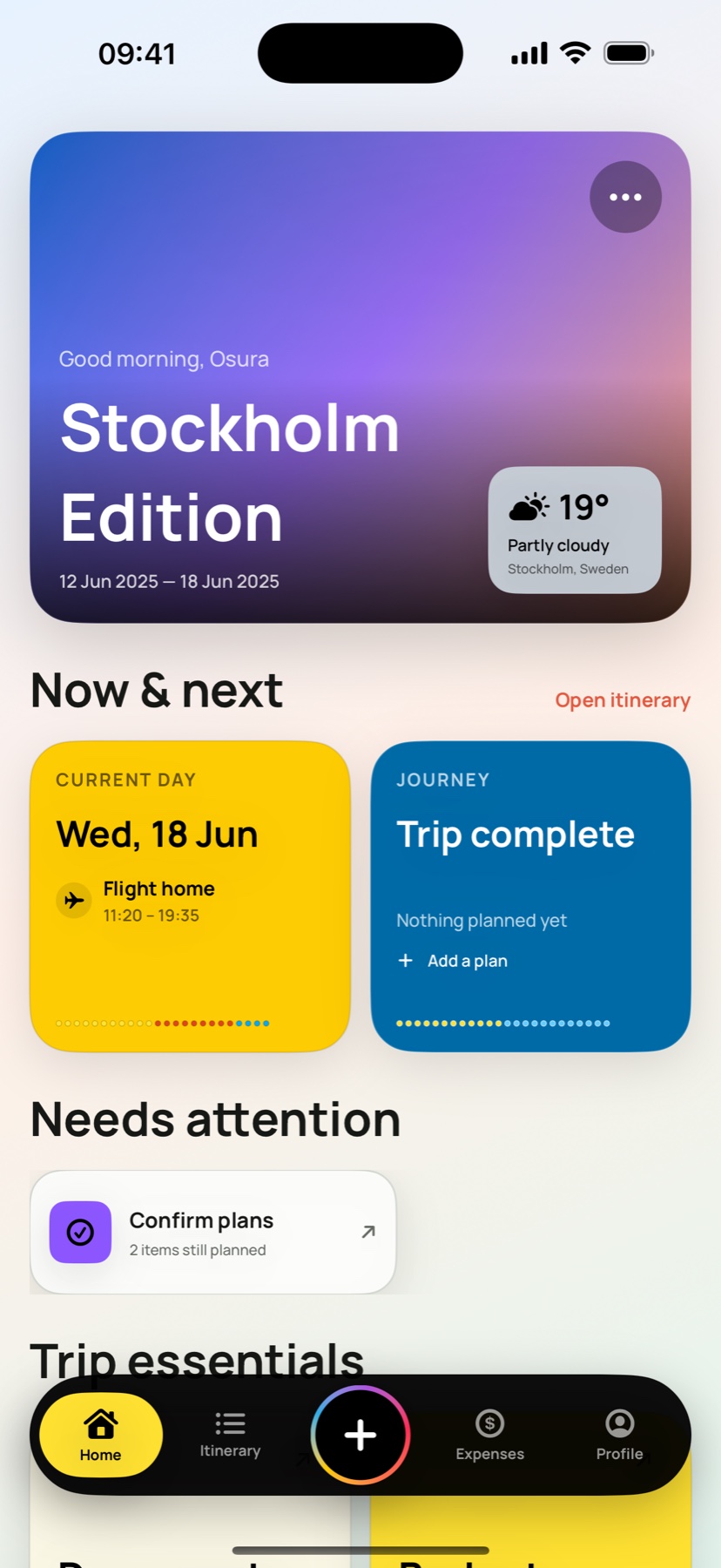
Every trip. One beautiful place.
Collaborative travel planner · Coming soon · Under Apple review
Coming soon
Create a shared event, invite guests by QR code, capture photos together, and organize every memory into live albums.
In development
A bilingual map-first view of open Swedish Police incident data, with filters, timelines, weather context, and offline access.
In development
Turn a job post, CV, profile, and notes into one preparation package with company research, role fit, questions, and practice prompts.
In developmentSearch-led tools
Use the answer now. Move into an Abiogenesis app only when the answer becomes a routine.
Open all toolsSearch birth control pill names, brand names, and hormone ingredients, then keep your medication routine organized in Doserite.
Generate aesthetic self love quotes, short quote ideas, and haikus for captions, notes, and private check-ins.
Build a simple flapjack recipe by serving size and style, then save the recipe to Nook for free cooking and grocery planning.
Create a local map search for grocery stores that are open now, then keep the shopping plan in Nook.
Build a local food search by cuisine, open-now intent, and trip type, then save meal ideas and grocery plans in Nook.
Filter board games for 10 year olds and board games for kids by time, group size, and play style, then score game night with GameMaster Live.
01 / Principle
Calmer software for daily rituals.
Quiet apps for private reflection, home cooking, medication routines, game nights, collaborative travel, and the small rituals that make a day feel more human.
01 / 05
Self-kindness tracker
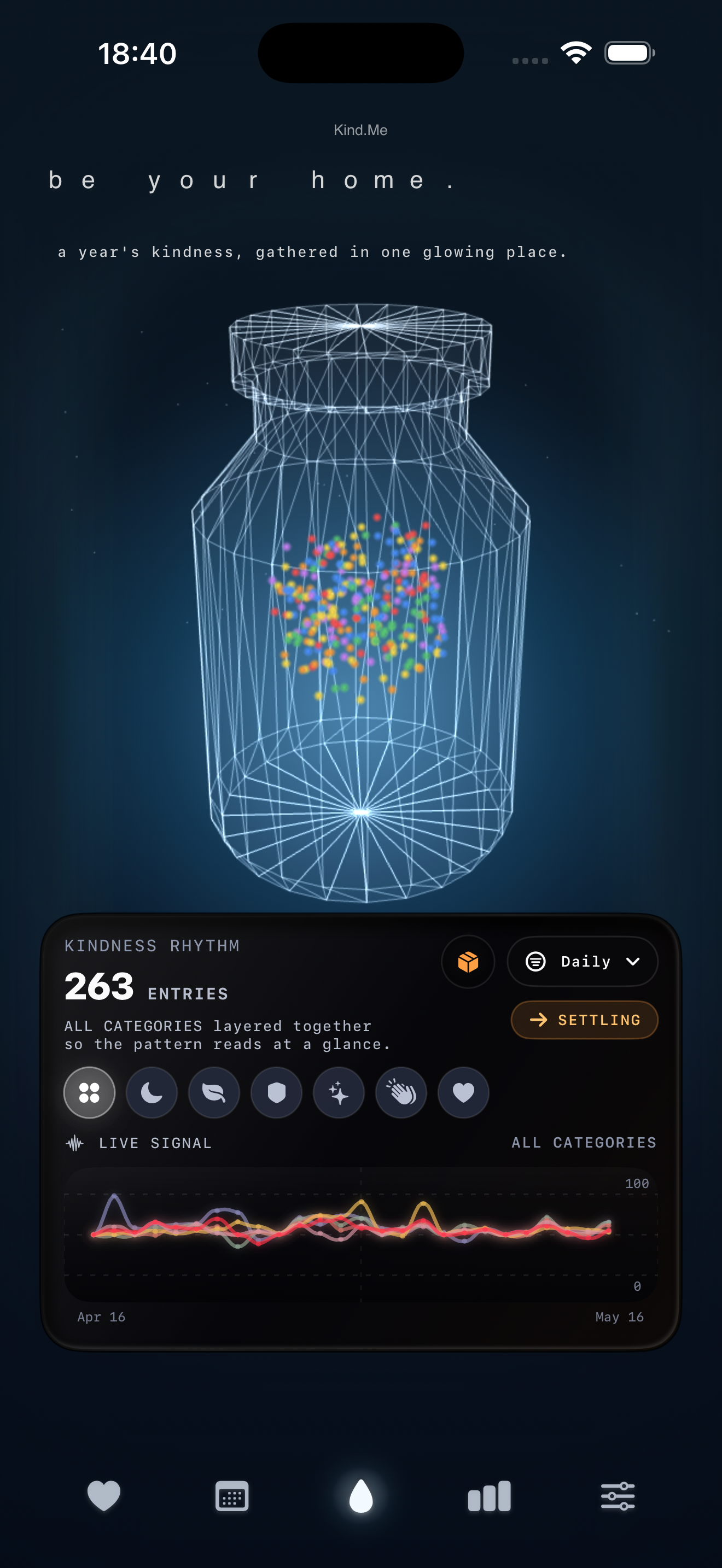
Log rest, nourishment, boundaries, joy, forgiveness, or any small act of care. Over time, those moments become a visual calendar and a growing jar of self-kindness.
Kind.Me helps you track small acts of self-kindness without streaks, pressure, or productivity guilt.
Log a moment of kindness in under five seconds.
See your self-care story unfold day by day.
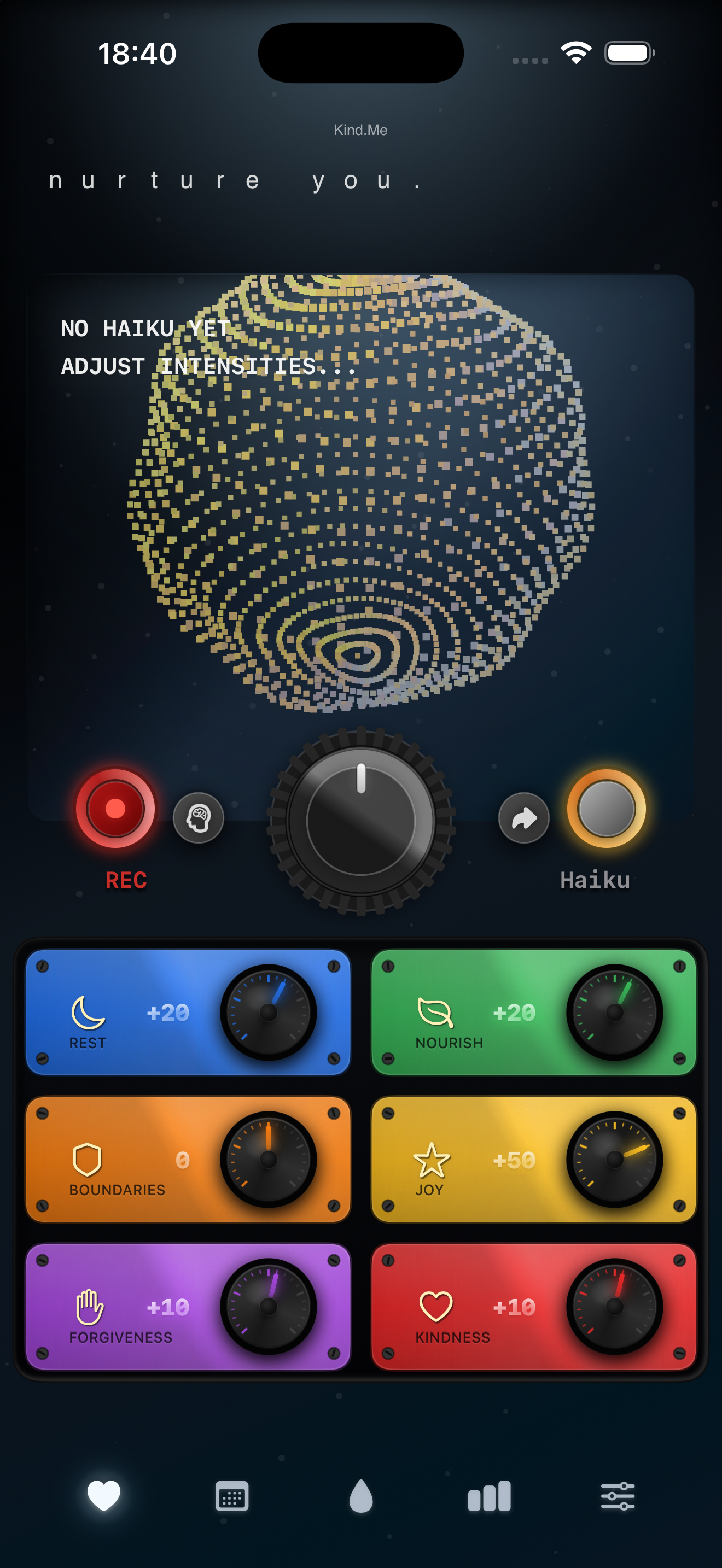
Watch care collect over time without losing progress.
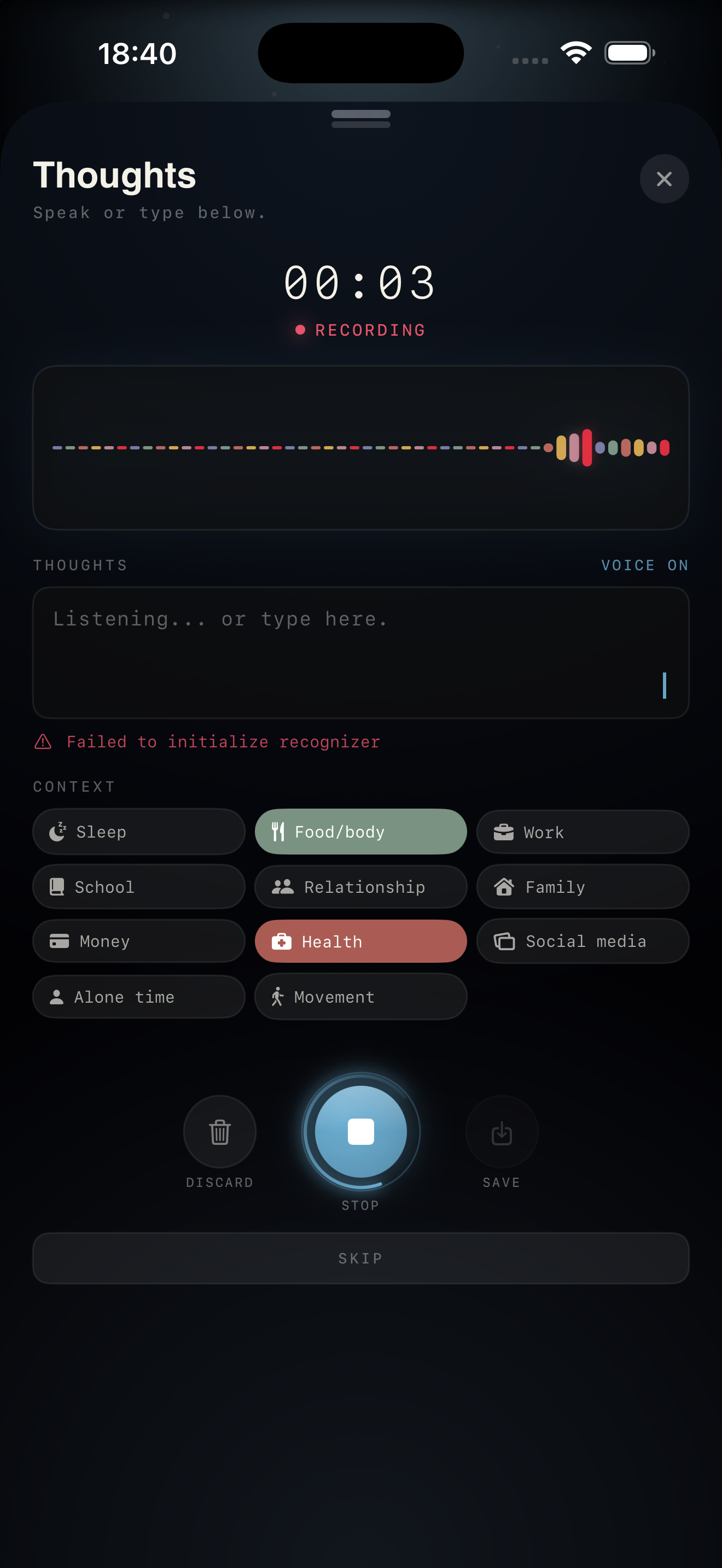
Notice how you rest, recover, and support yourself.
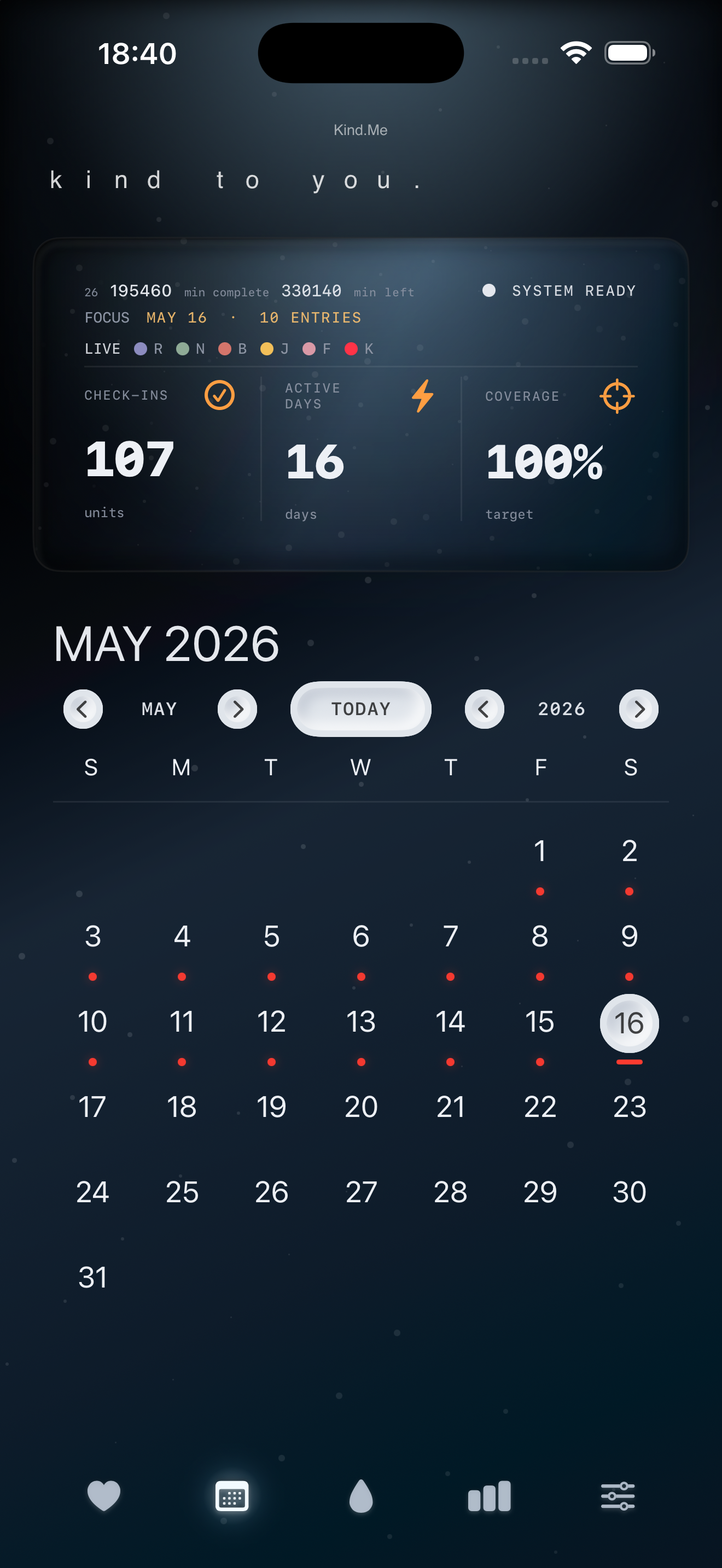
Your reflections stay personal, with no ads or third-party tracking.
02 / 05
Recipe home base
Bring scattered recipes home from websites, messages, screenshots, notes, and social apps, then turn them into practical meals and calmer weeknights.
Nook is a calm recipe app that helps you save recipes from anywhere, organize them your way, plan meals, and build grocery lists without algorithm noise.
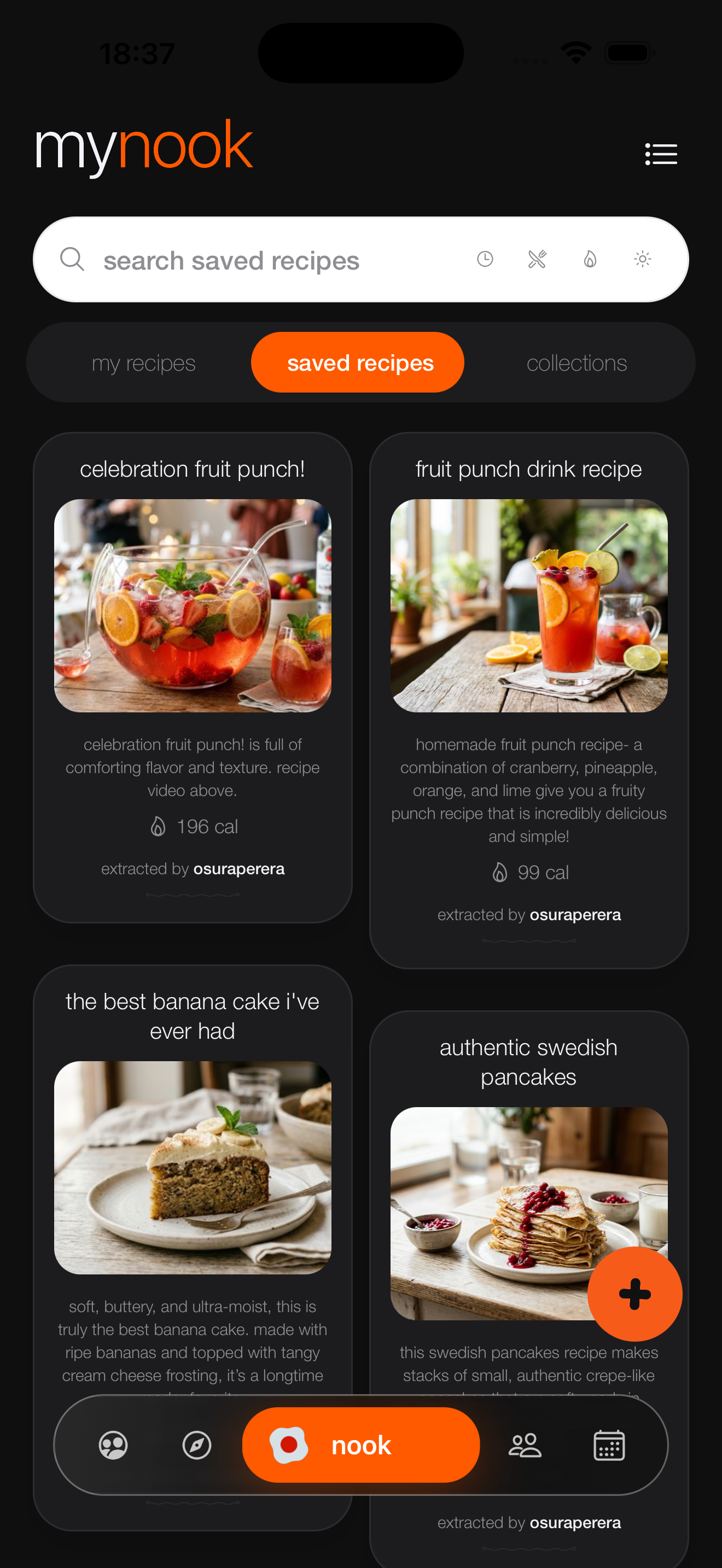
Import recipes from websites, screenshots, notes, PDFs, and social apps.
Tap Share in Safari, choose Nook, and send the recipe straight into your cookbook.
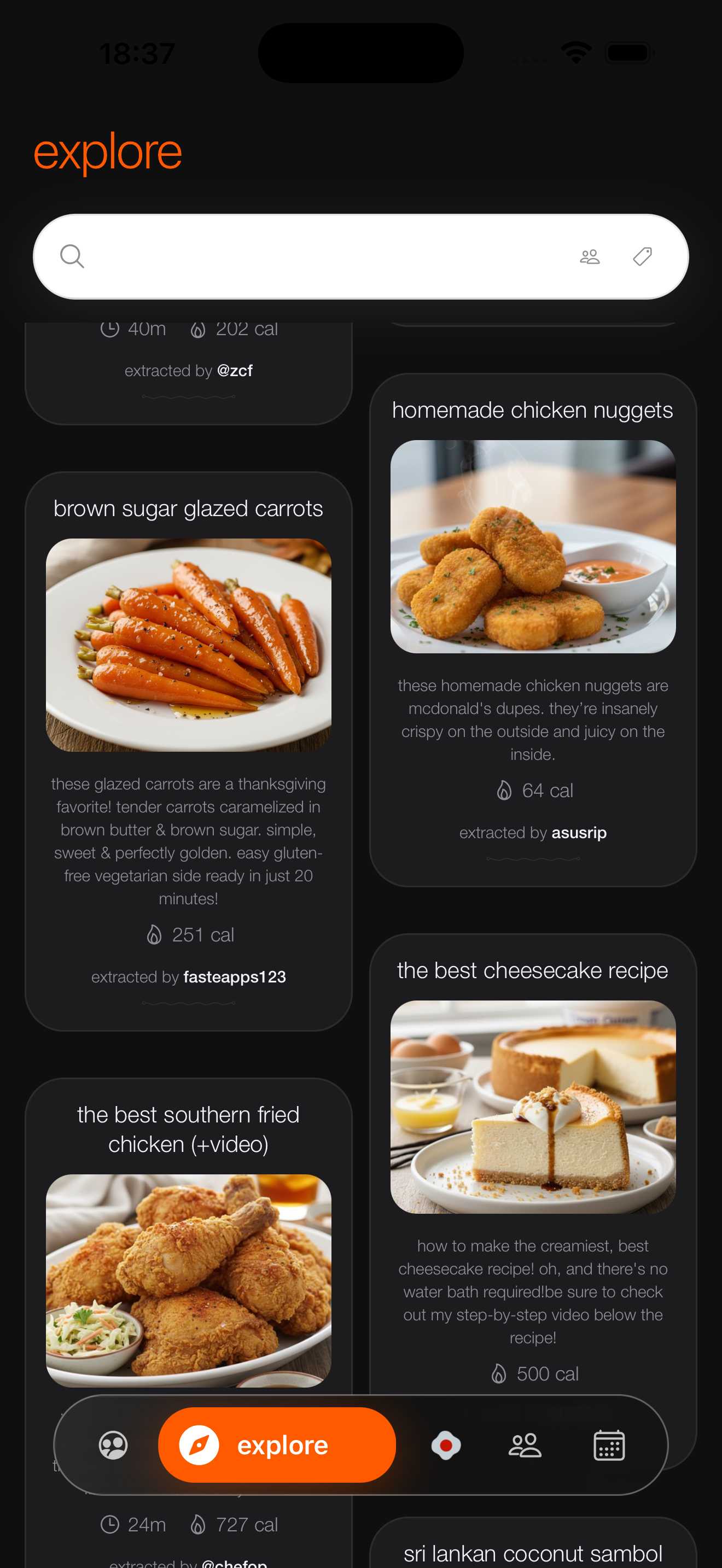
Keep favorites in collections that match how you actually cook.
Move recipes into a weekly plan so deciding what to eat feels lighter.
Turn planned meals into a shopping flow and manage ingredients clearly.
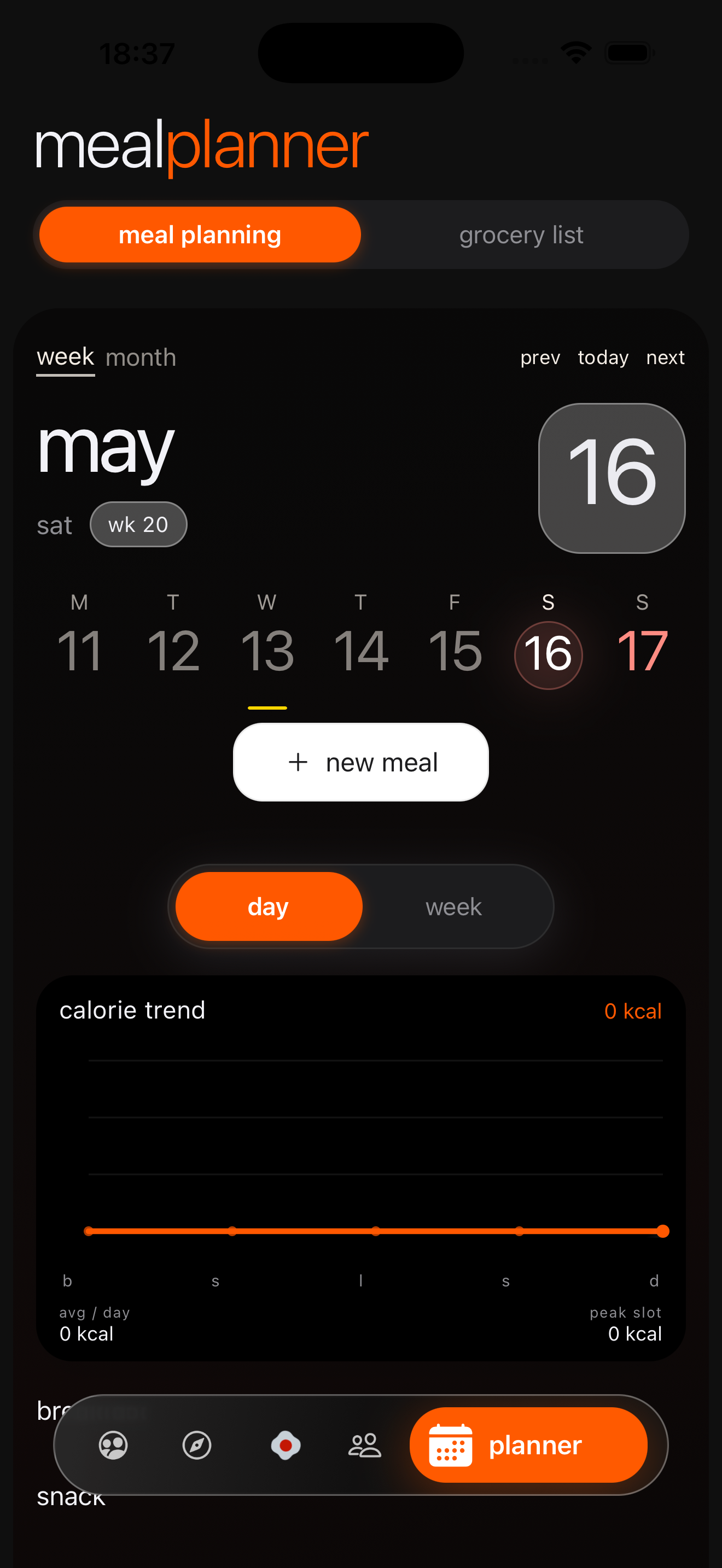
Use cooking mode with clear steps, serving controls, unit switching, and timers.
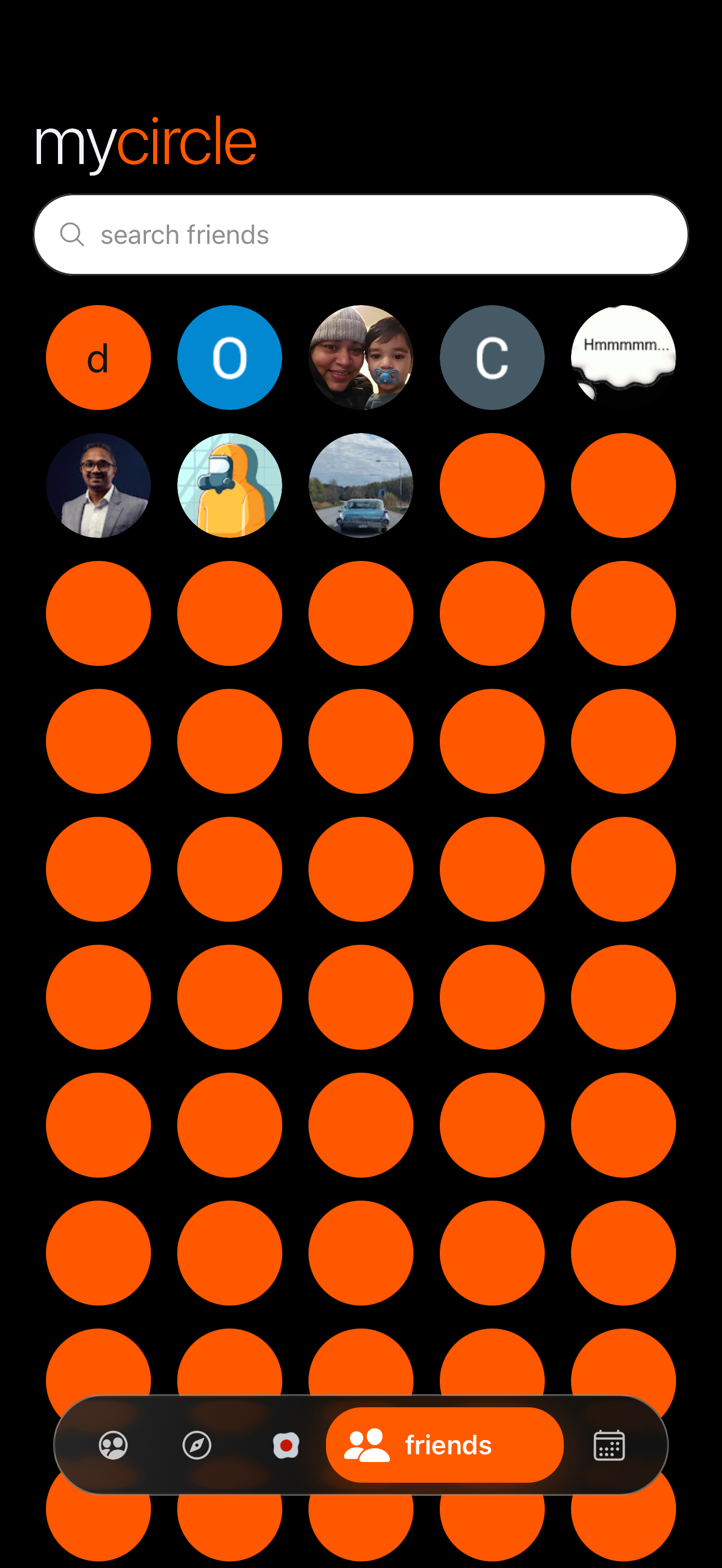
Follow people you choose without ads, ranking tricks, or feed pressure.
03 / 05
Medication routine tracker
Track medication schedules, dose history, package inventory, and refill timing without turning care routines into another pressured system.
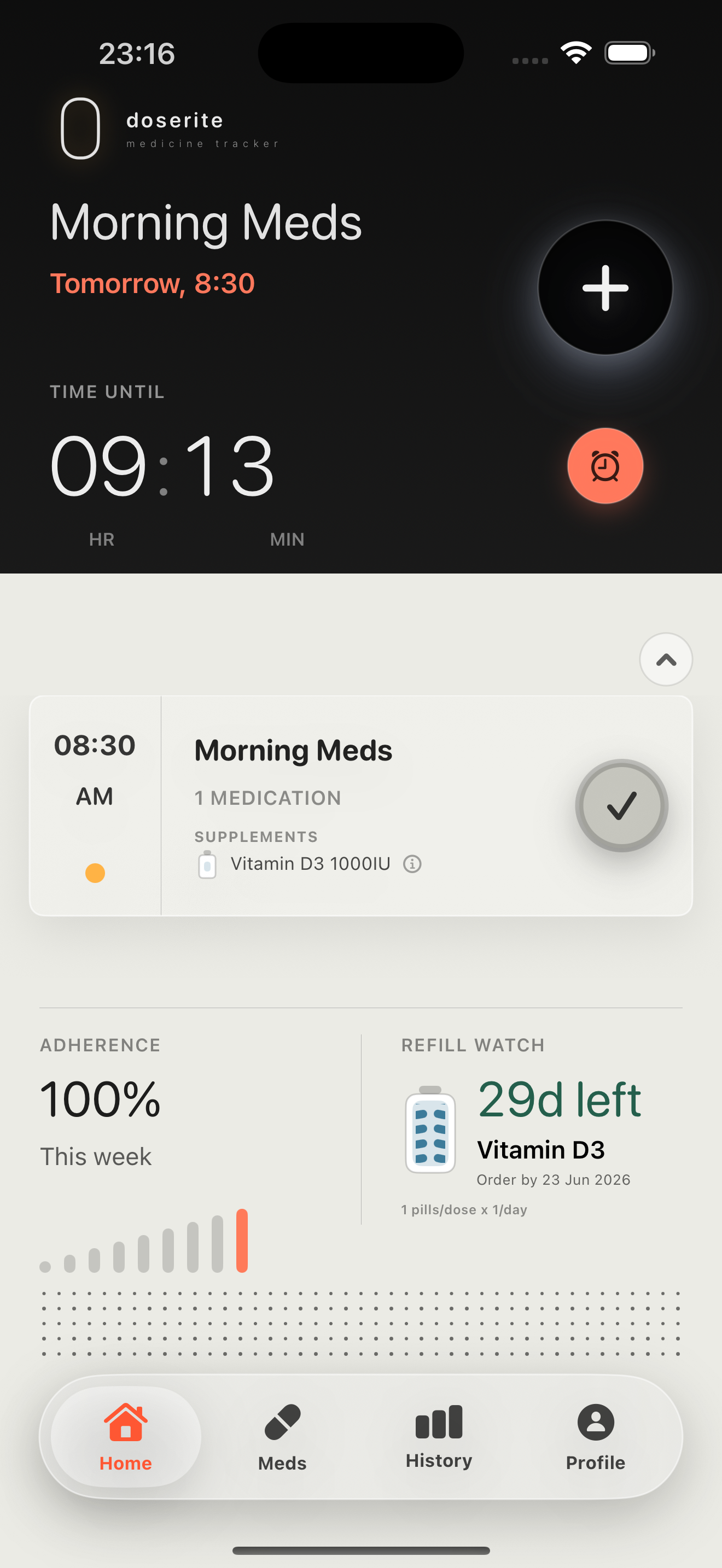
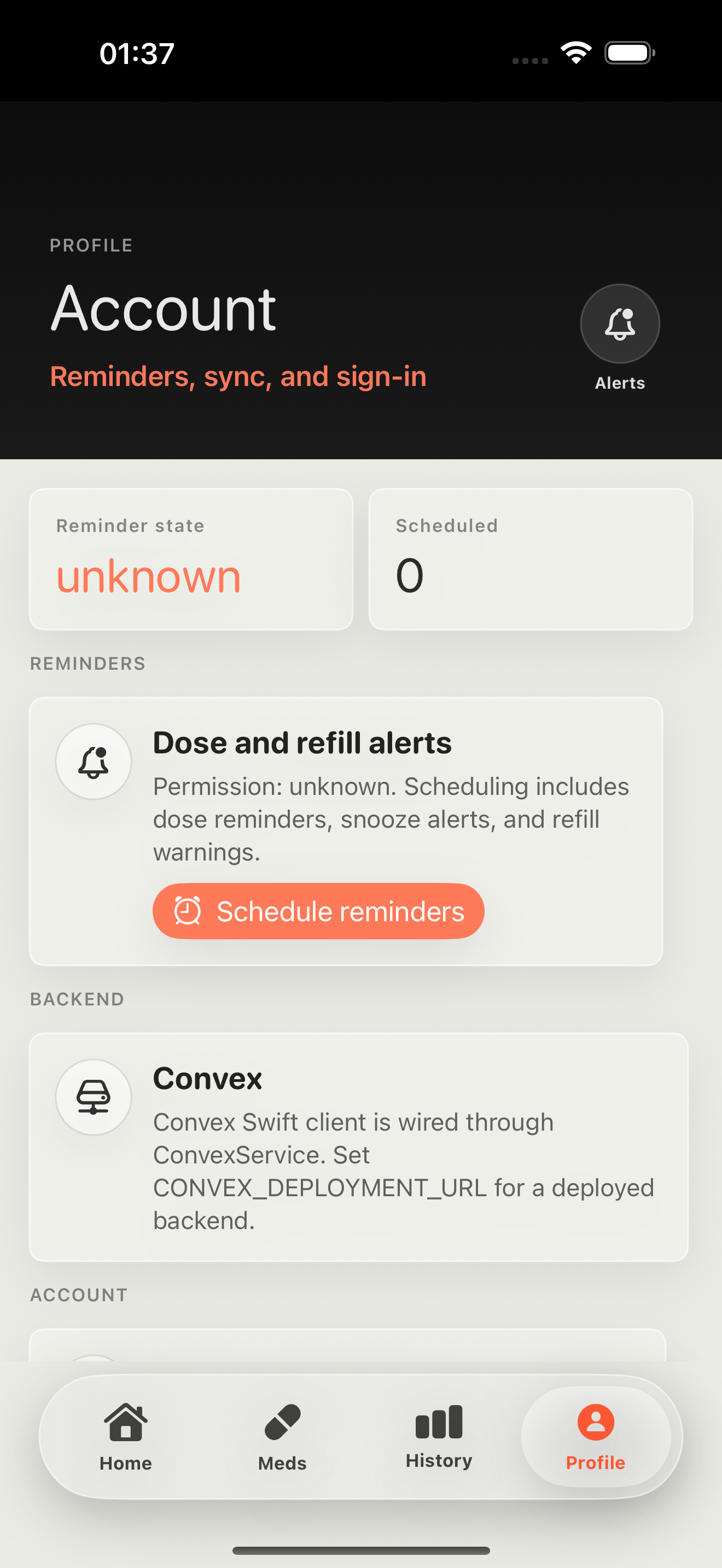
doserite helps you keep medication reminders, dose logs, pill inventory, and refill timing in one clear routine.
See the next scheduled dose, mark it taken, and keep the routine visible without digging through menus.
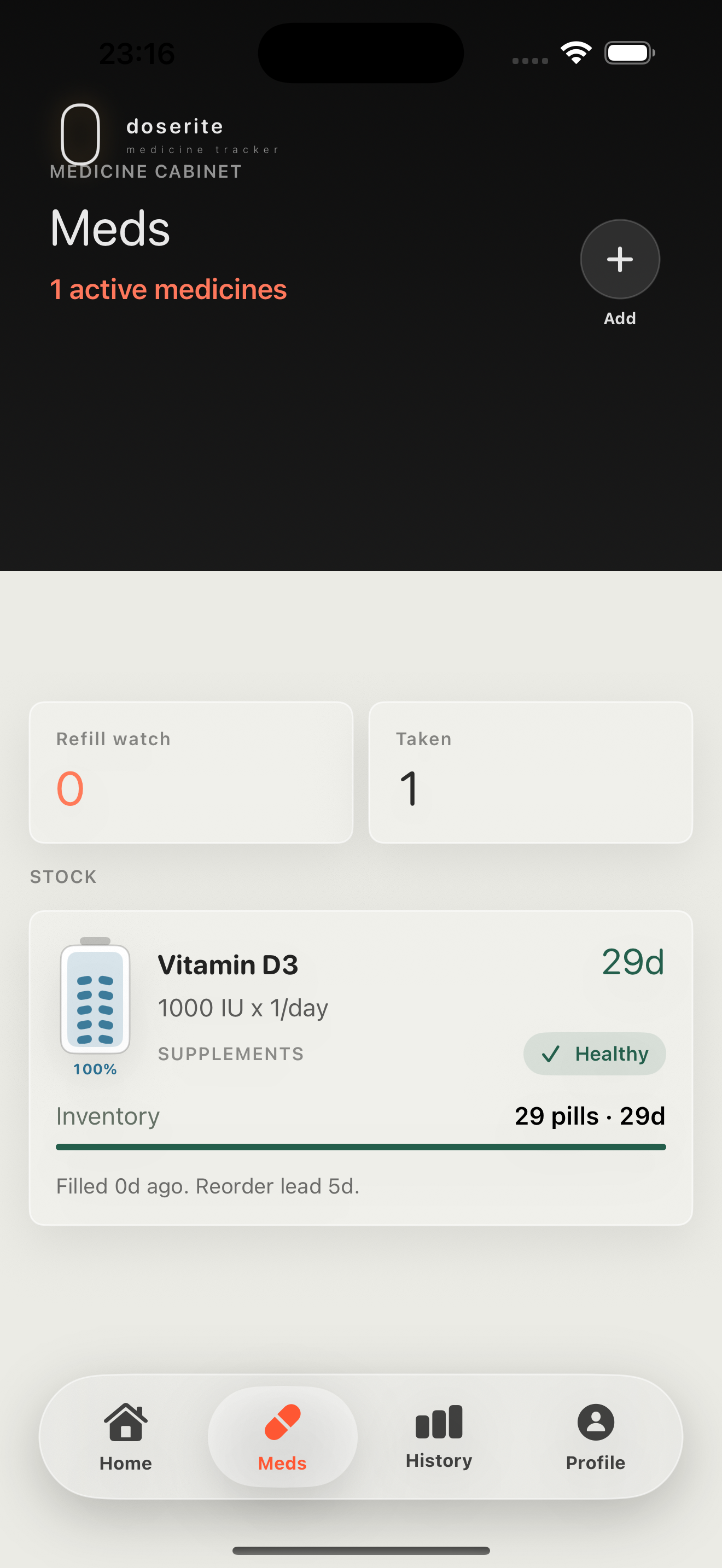
Track pills, bottles, boxes, sachets, and other package types so stock levels stay easier to understand.
Review taken, skipped, and missed doses, plus simple adherence and consumption signals.
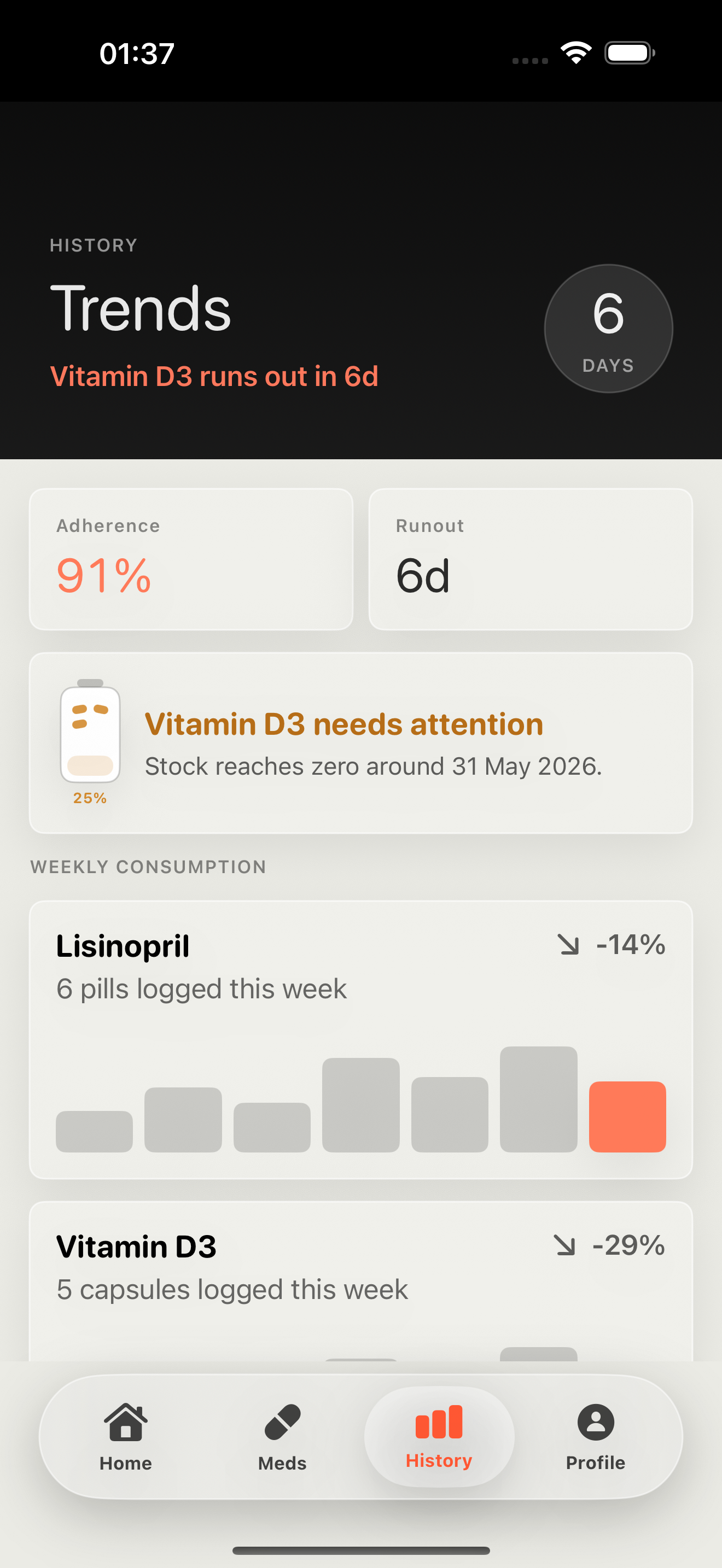
doserite estimates when stock may run low based on saved schedules and inventory.
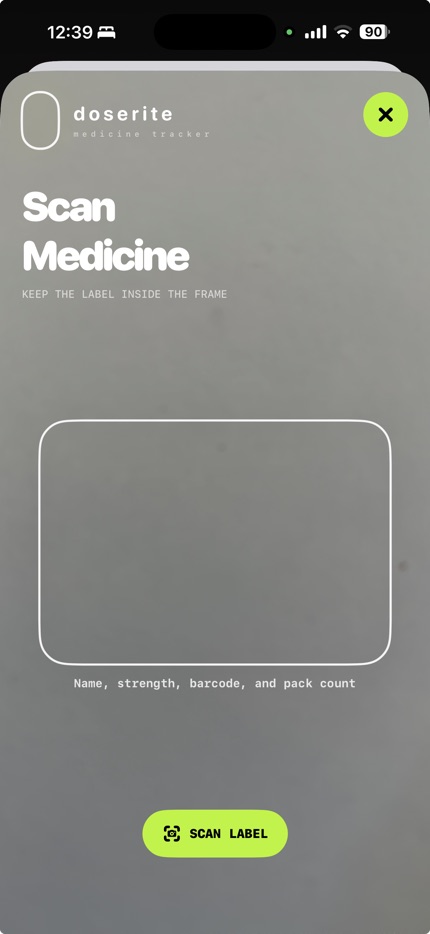
Optional label scan can prefill editable medication details from visible label text. Users review every field before saving.
doserite is a reminder, dose log, and inventory tracker. It does not diagnose, recommend treatment, or decide doses.
04 / 05
Board game scoring
Run live board game sessions, connect players from Apple and non-Apple devices, add games with AI, ask rule questions during disputes, track leaderboards, and keep scores synced in real time.
GameMaster Live is coming in August for competitive board gamers who want realtime scoring, live sessions, AI rule help, leaderboards, and custom game templates.
Create a shared session and let players connect from Apple and non-Apple devices.
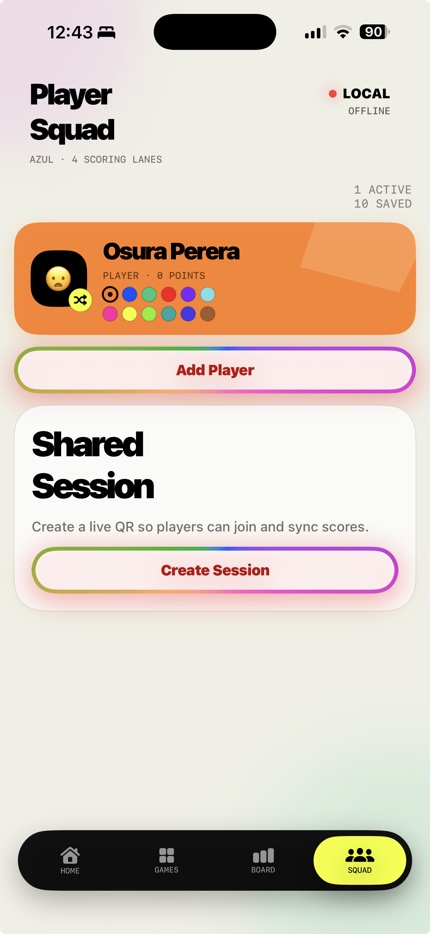
Keep the table score, player lanes, final board, and rankings updated as the game moves.
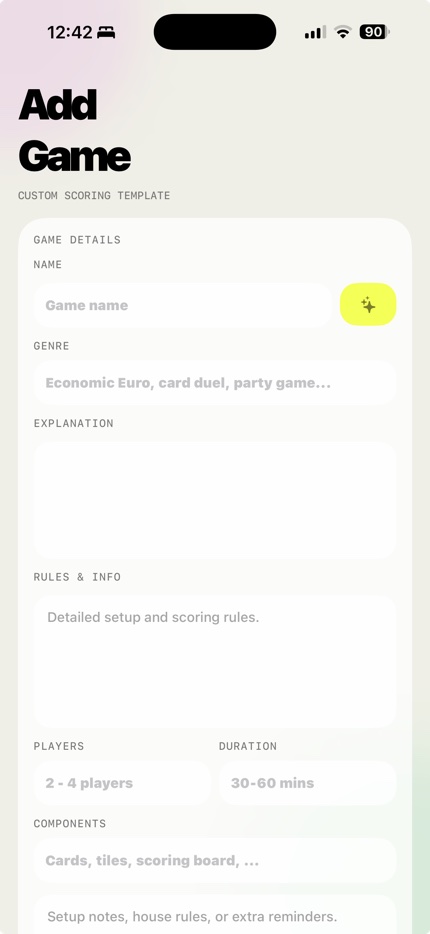
Add new games with AI-generated scoring templates, rules, components, and setup notes.
Ask AI about unclear rules, scoring disputes, strategy questions, and live session context.
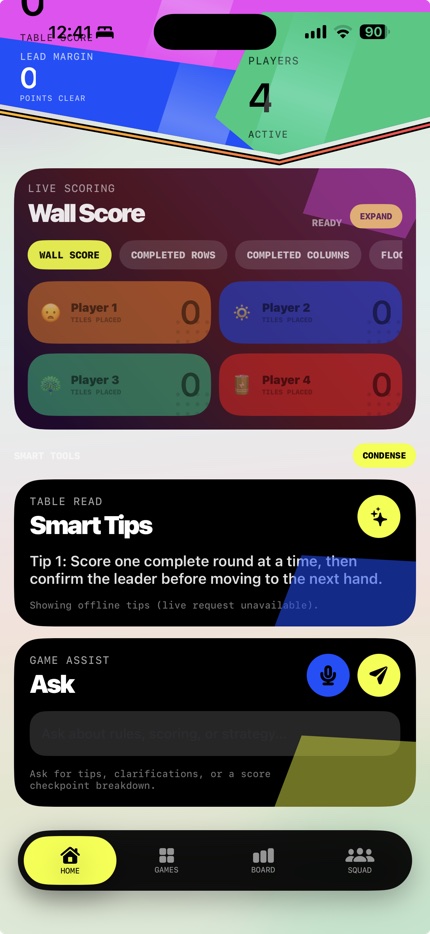
Track live rankings, career boards, recent sessions, wins, and player history.
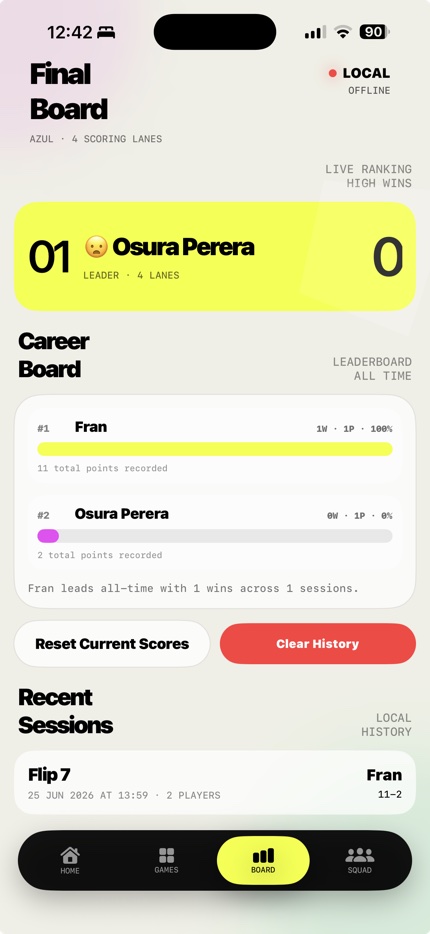
Give each player a clear identity with icons, colors, and saved profiles.
05 / 05
Collaborative travel planner
Build a trip from a destination or booking confirmation, then keep dates, route stops, expenses, files, packing, and traveler updates within reach from planning through arrival.
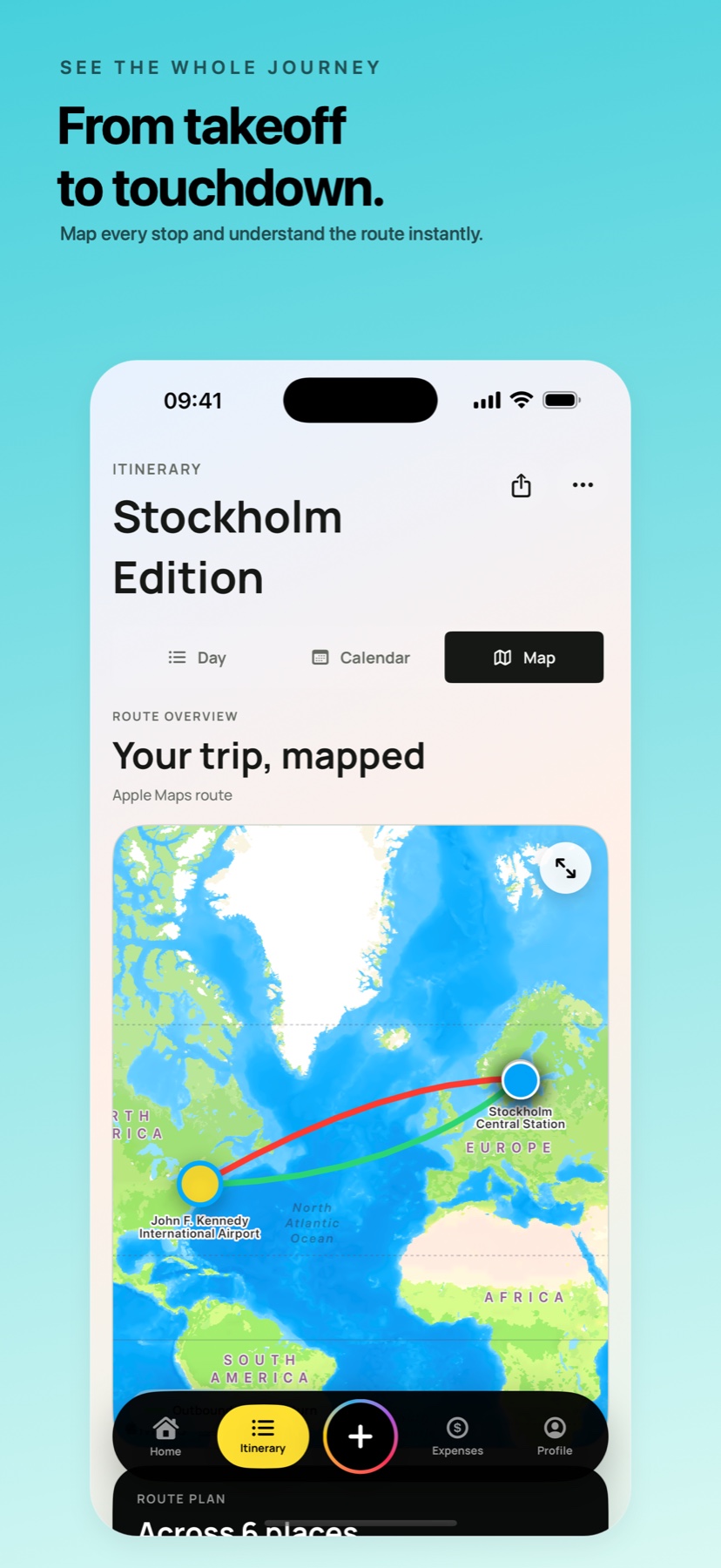
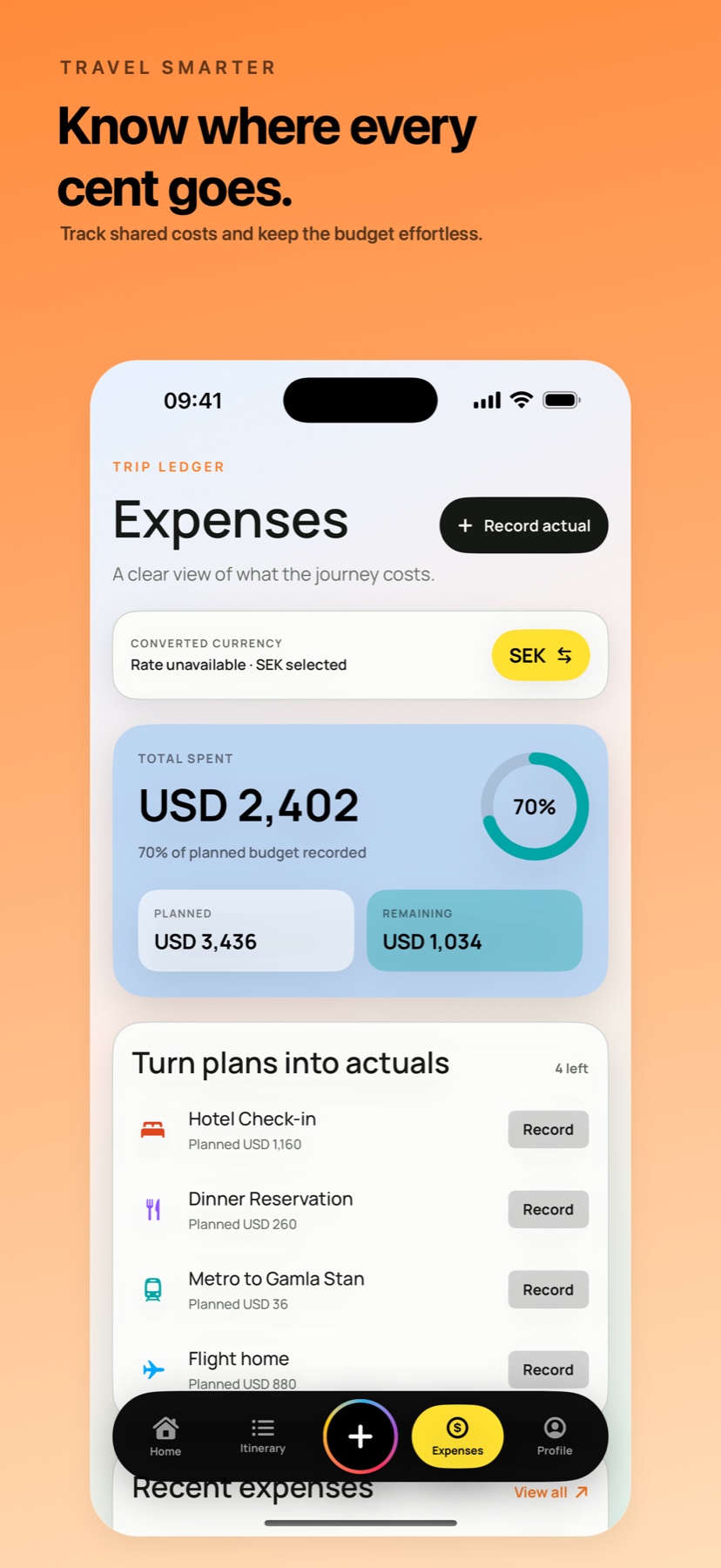
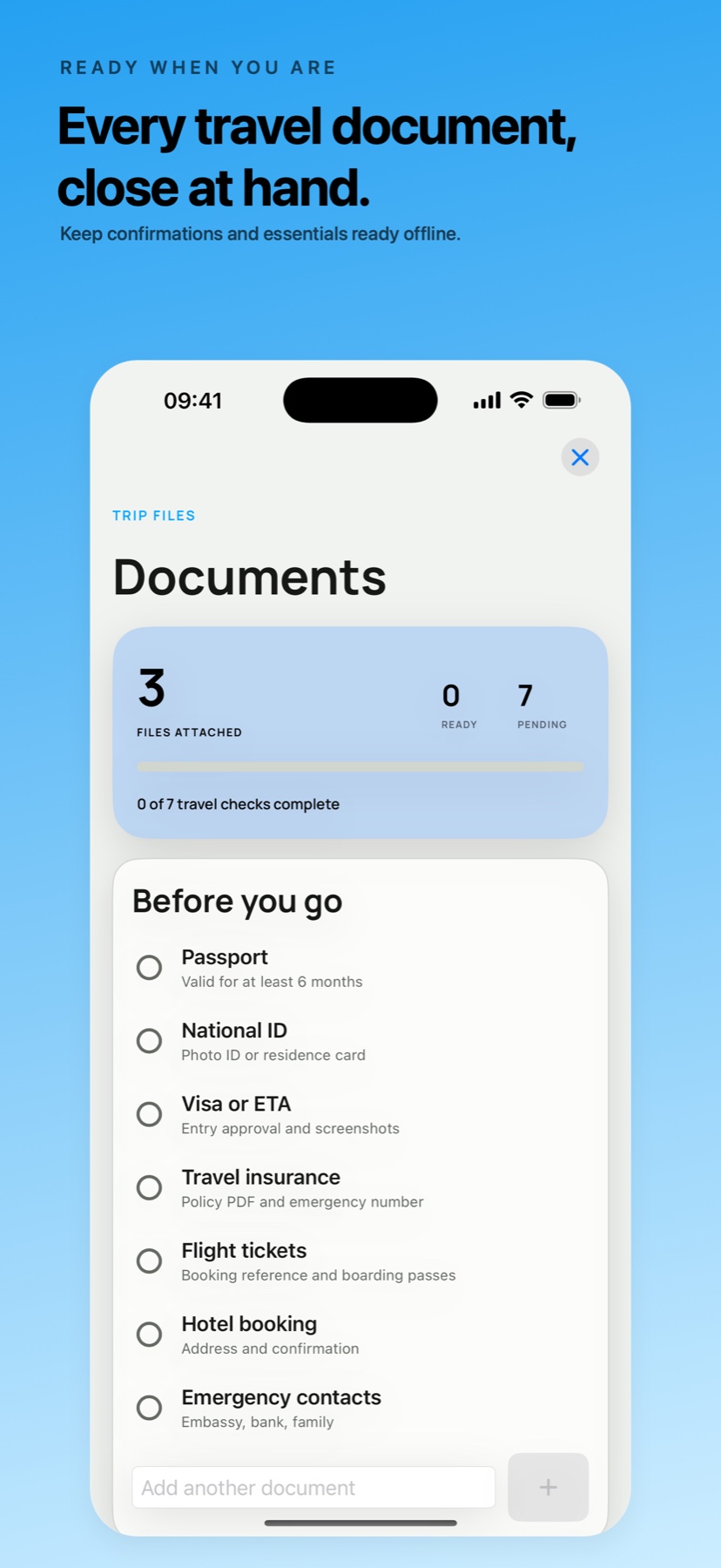
Wayfold keeps the itinerary, route, bookings, shared costs, documents, packing, and group activity together in one calm travel workspace.
See destination, dates, weather, current plans, and travel essentials from one clear home screen.
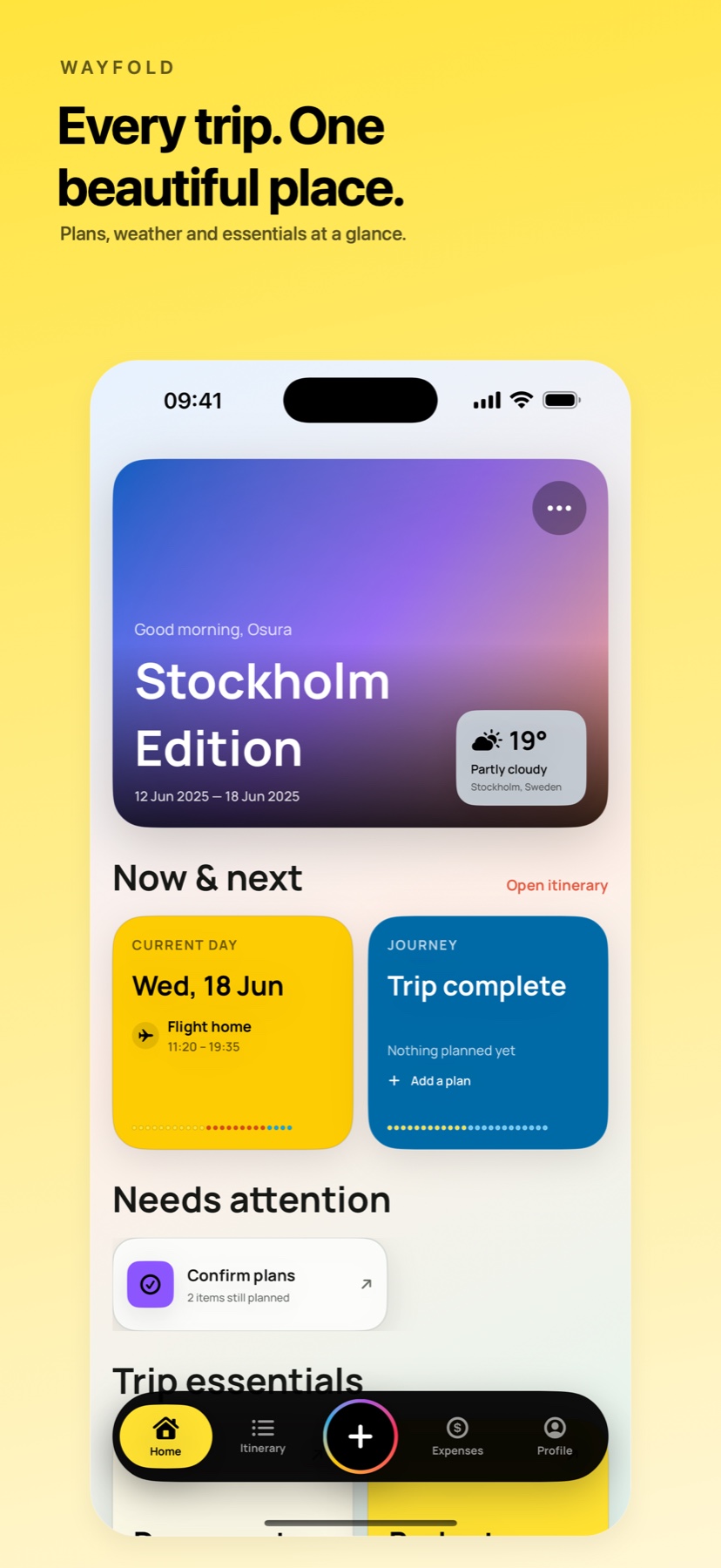
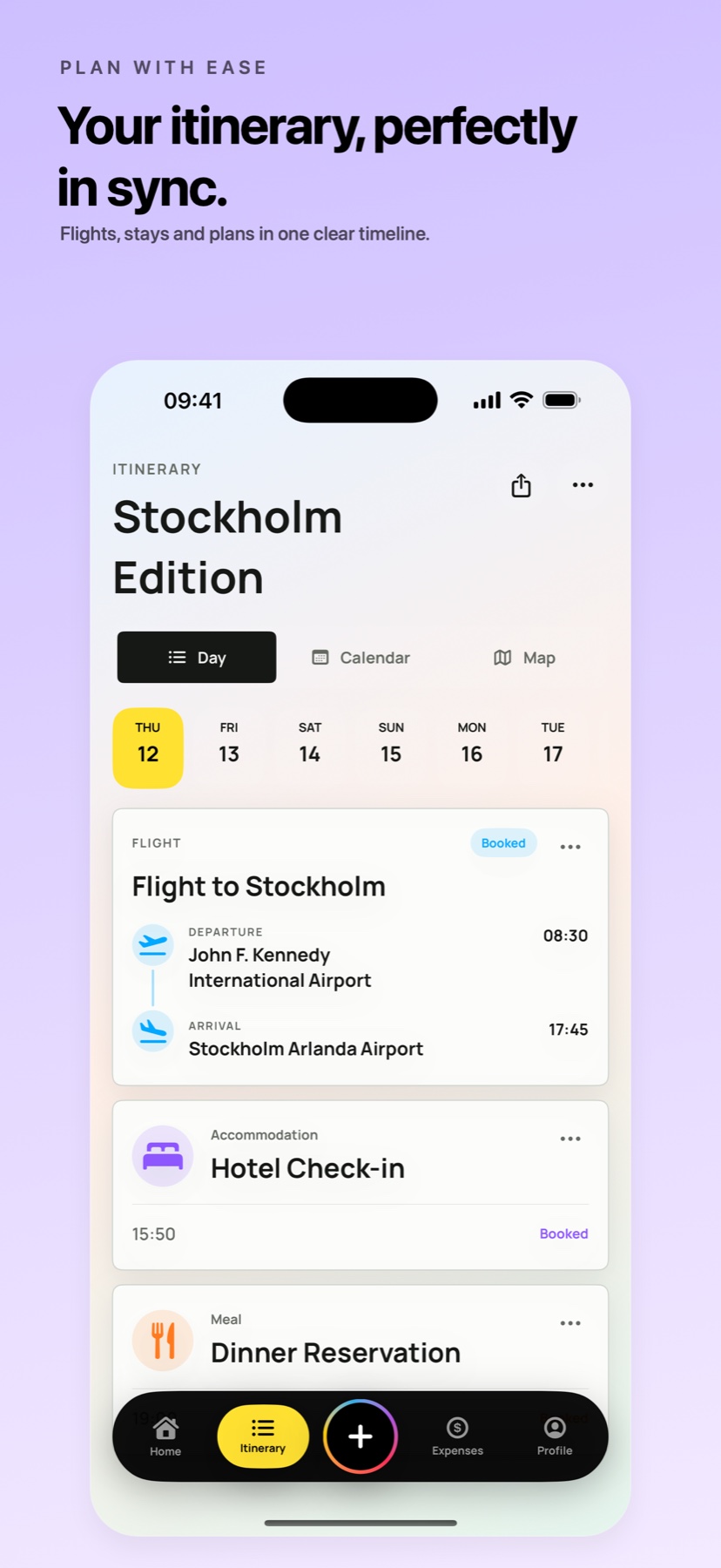
Keep flights, stays, meals, activities, transport, and notes together in a day-by-day timeline.
Map ordered stops, understand how the journey connects, and open routable places in Apple Maps.
Compare planned and actual spend, track group expenses, and keep balances easier to settle.
Keep confirmations, tickets, insurance, identity checks, and emergency details close at hand while traveling.
GameMaster Live
Join the early-bird list for beta access, launch promotion notes, realtime scoring updates, and the first GameMaster Live release window.
Pre-register for future Abiogenesis apps, private launch notes, and early feedback rounds.